Class IIa medical deviceCE 3022Hosted by STACKIT in GermanyMore on security
DocPad app icon

DocPad. Data, not documents.

DocPad captures patient data in structured form, already during the conversation with the patient. You see their condition across twelve body systems and their history on a timeline. You decide.

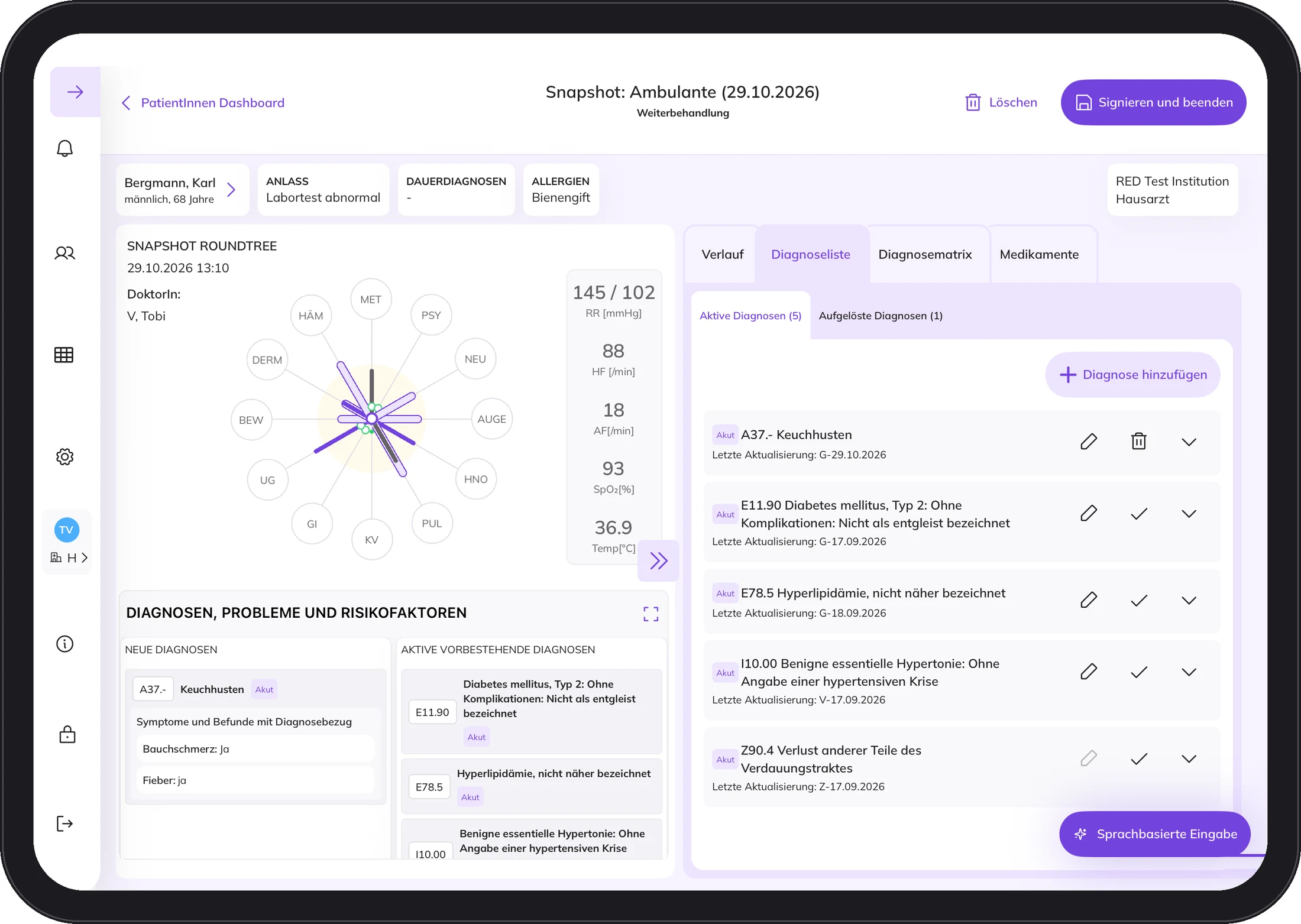
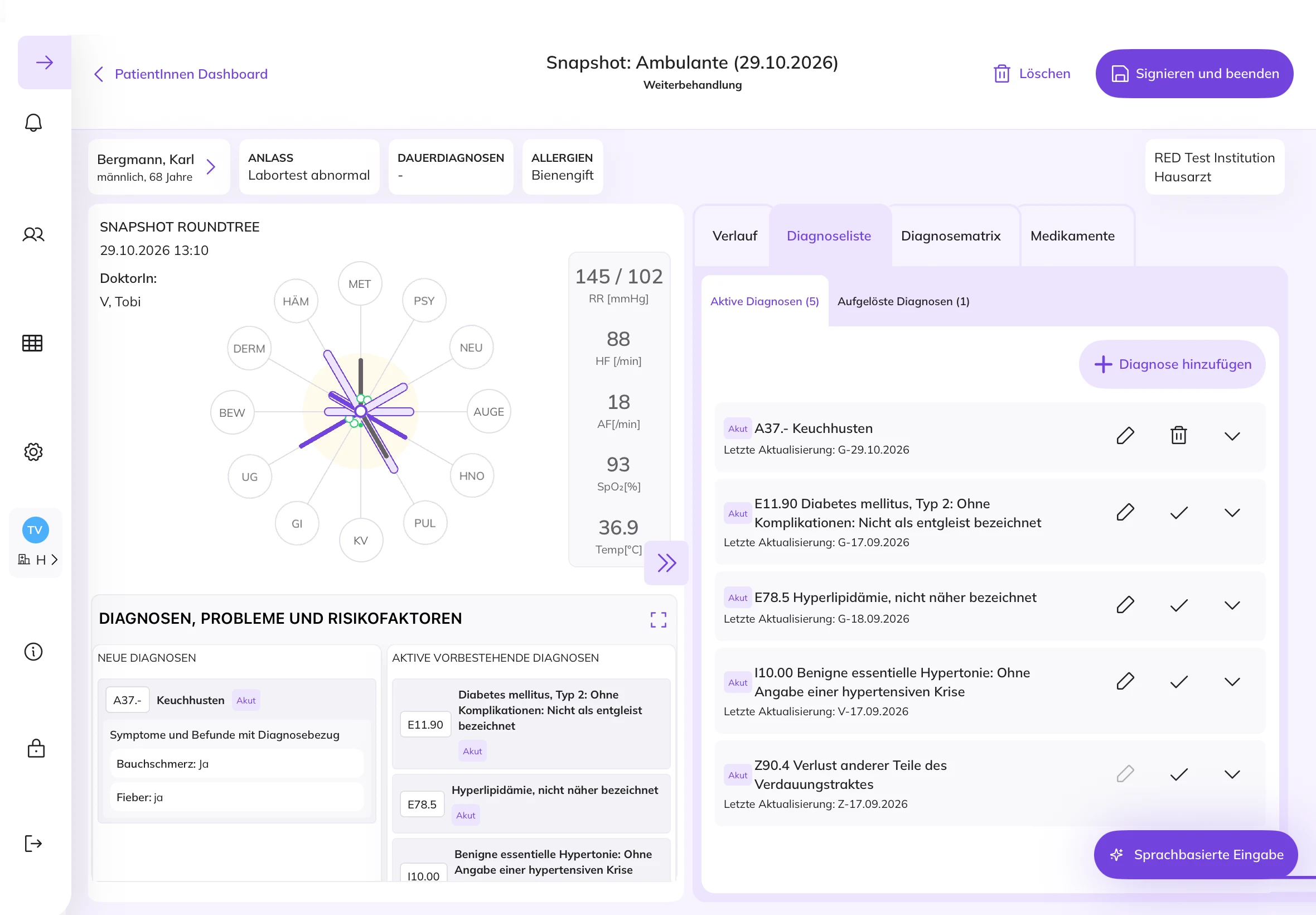
DocPad on the iPad: Snapshot with Round Tree and vital signs, demo data

A change of perspective.

The focus is no longer on medical documents but on structured patient data, regardless of where the patient receives care.

The medical information is captured during the conversation between doctor and patient and structured consistently using international standards such as SNOMED CT. This creates a shared basis for a patient's entire care, across facilities and sectors. Every specialty that treats the patient should have the same overview of their overall situation.

Doctor's letters, findings and other documents are created from this, depending on what they are needed for. Not the other way round.

Overview

One screen. The whole person.

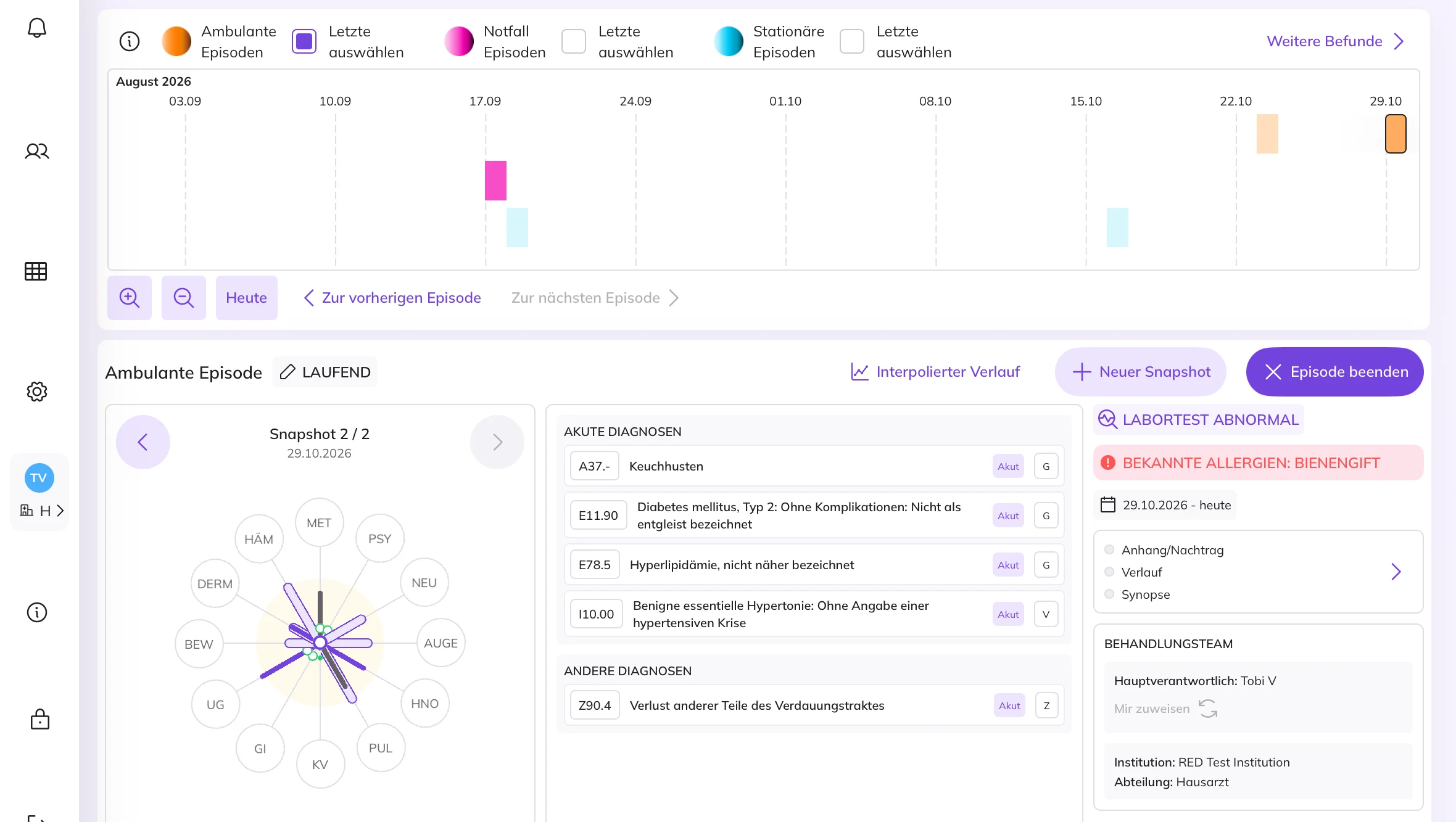
The patient dashboard brings together what you need for the consultation. The timeline at the top, below it the ongoing episode with the Round Tree.

Timeline

The history on one line.

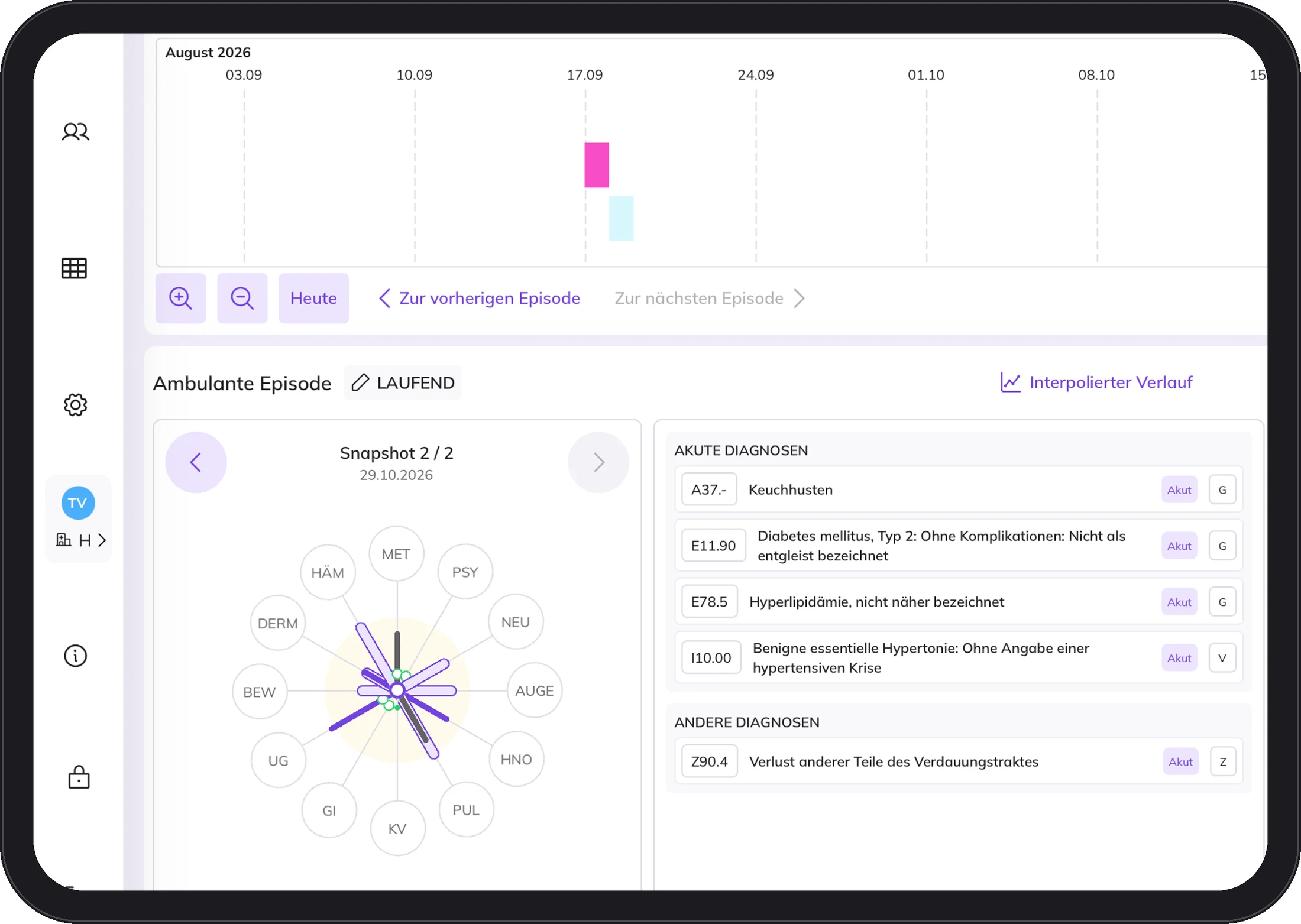
All episodes of the documented history sit on one timeline, outpatient, emergency and inpatient. You see what happened when, without searching old entries.

Episode

One episode, several snapshots.

Below is the ongoing episode. Each snapshot is a single observation, for example one contact with the patient.

Round Tree

Twelve body systems at a glance.

The Round Tree shows the patient's condition across twelve body systems. The further an arm extends, the more the system is under strain.

Diagnoses

Coded in ICD-10.

The diagnoses of the episode are coded in ICD-10. The diagnosis is always made by the doctor.

Reason for visit and allergies

The essentials first.

The reason for the visit and known allergies are at the top of the episode.

Care team

Who is responsible.

Each episode shows who is mainly responsible and in which facility the patient is treated.

Screen from DocPad with demo data.

Twelve body systems. One picture.

The Round Tree shows the patient's condition across twelve body systems, from cardiovascular to skin. The further an arm extends, the more the system is affected.

This lets you see at a glance which systems are affected. You make the decision.
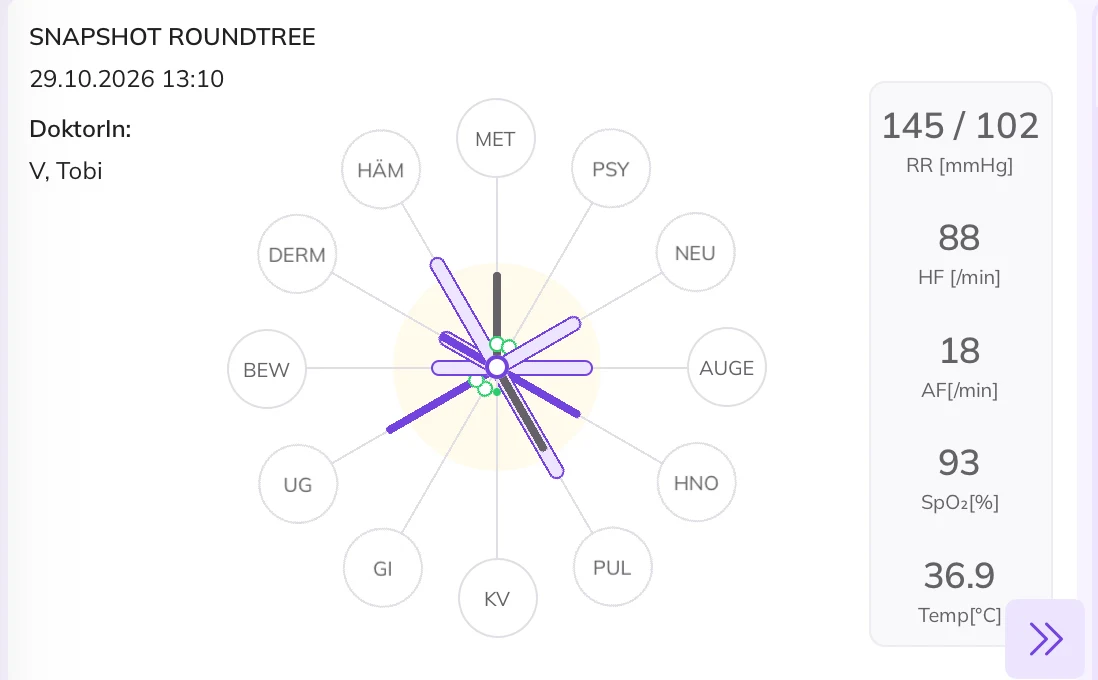
Round Tree with twelve body systems and vital signs, demo data

The history, without leafing through pages.

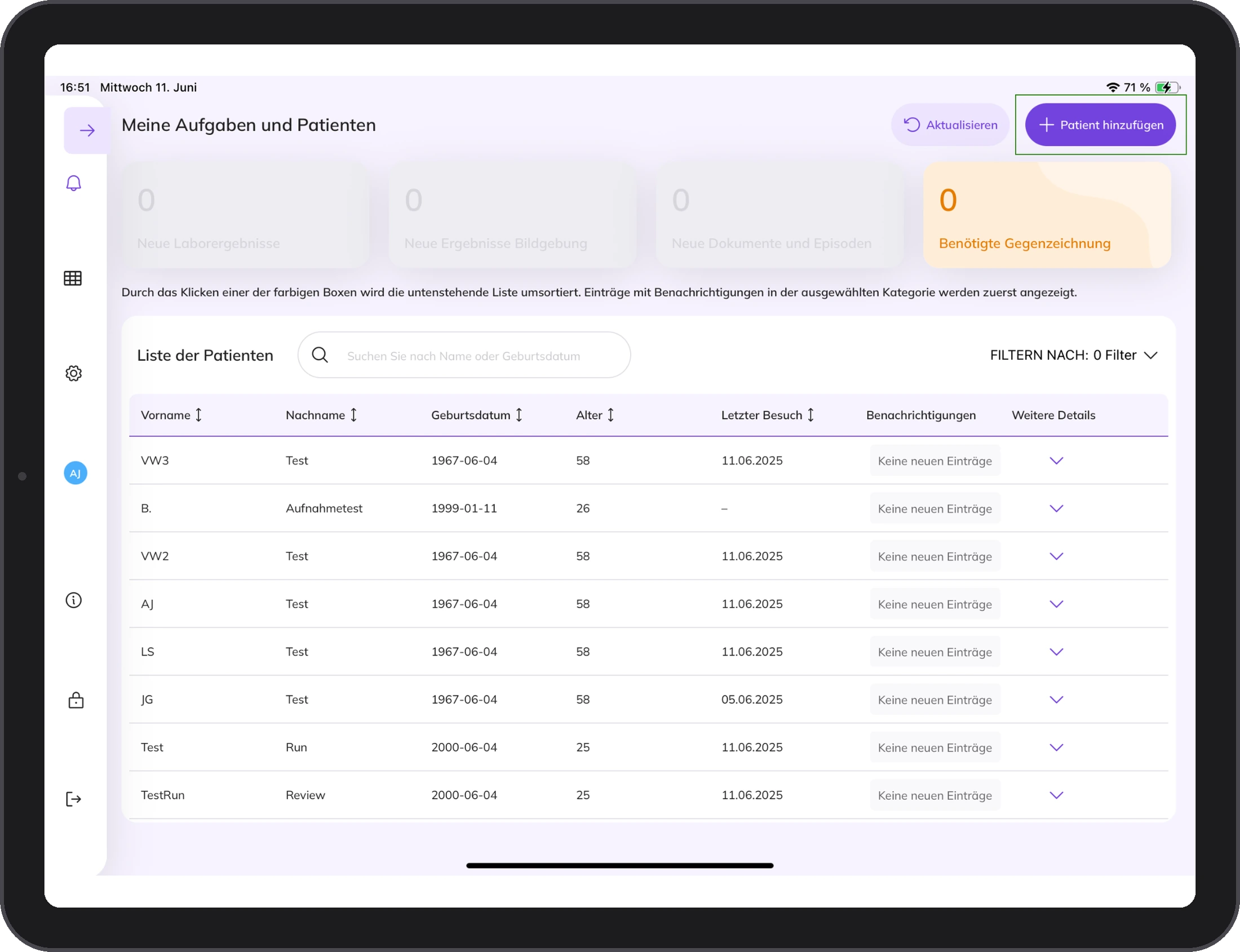
The history is shown on a timeline. All episodes of the captured history, on one line. Below it you see the current episode with the captured data, the Round Tree and the assessment.

Patient list in DocPad, demo data

Screen from DocPad with demo data.

Many observations. One episode.

DocPad organises capture into episodes. An episode can contain several Snapshots. Each Snapshot is a single observation, for example one contact with the patient.

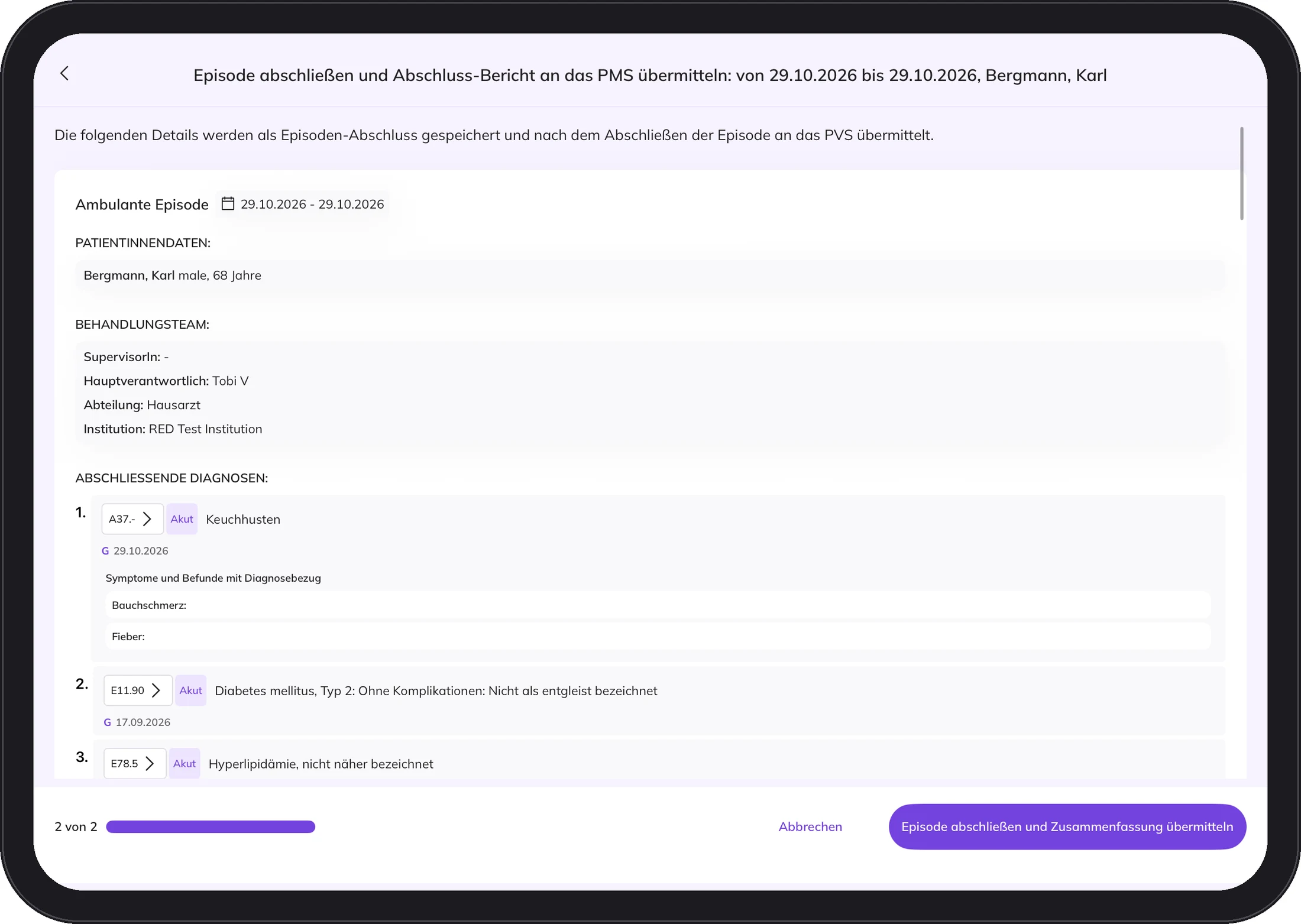
At the end you sign and close the episode. Once it is signed, the team sees it immediately.

Every capture step is signed. It is clear who recorded what and when.

Snapshot in DocPad with Round Tree and vital signs, demo data
Ongoing episode in DocPad with timeline, snapshots and Round Tree, demo data

Your PMS stays as it is.

DocPad is intended for use with an interface to your practice management system. It only accesses patients who exist in your practice's PMS.

Billing, appointments and archive continue as usual.

Completing an episode with a report to the practice management system, demo data
Your PMSThe filing cabinet
  • Billing
  • Appointments
  • Archive
DocPadThe desk in the consulting room
  • Structured recording
  • Round Tree and timeline
  • Signature

DocPad only accesses patients who exist in your practice PMS. No double entry, no system change.

Your PMS → DocPad: Master data. DocPad → Your PMS: Final report after you sign.

What DocPad can do. And what it deliberately does not do.

DocPad can

  • capture symptoms and findings in structured form
  • show the condition across twelve body systems
  • show all episodes of the history on one timeline
  • support the clinical assessment

DocPad deliberately does not

  • create diagnoses automatically. The diagnosis is and remains the doctor's decision.
  • replace your practice management system
  • interpret medical data for the patient

What it takes

Little technology. A good introduction.

Five things and you are ready to go. Tap a symbol.

1 / 5

An iPad Air.

11 inch, 5th generation, M2 or M3. DocPad is developed, tested and validated for these.

  • One approved iPad per clinician
  • No patient data is stored on the device
  • No other apps besides DocPad

Get to know DocPad.

Write us a short note about who you are and what interests you. We will send you information about DocPad. If it fits your practice, we will talk in person.

Get to know DocPad