One look at the iPad. Then to the patient.
You do not have to ask them what they already told you last time. You look at the iPad once and then at them.
The decision stays with you.
DocPad is an iPad app that lets you capture what you collect anyway in structured form. The same work in the consulting room, a different result in the record.
Five short questions. Your answers stay in your browser.
That looks good. As the next step, we will check the connection to your PMS together and show you DocPad using a sample case.
A patient sits in front of you, and their history is scattered across doctor's letters, free text and PDFs. By the time you have found what matters, part of the consultation time is gone. And what you document yourself ends up in the record as free text again, which nobody can compare later.
Reason for the visit
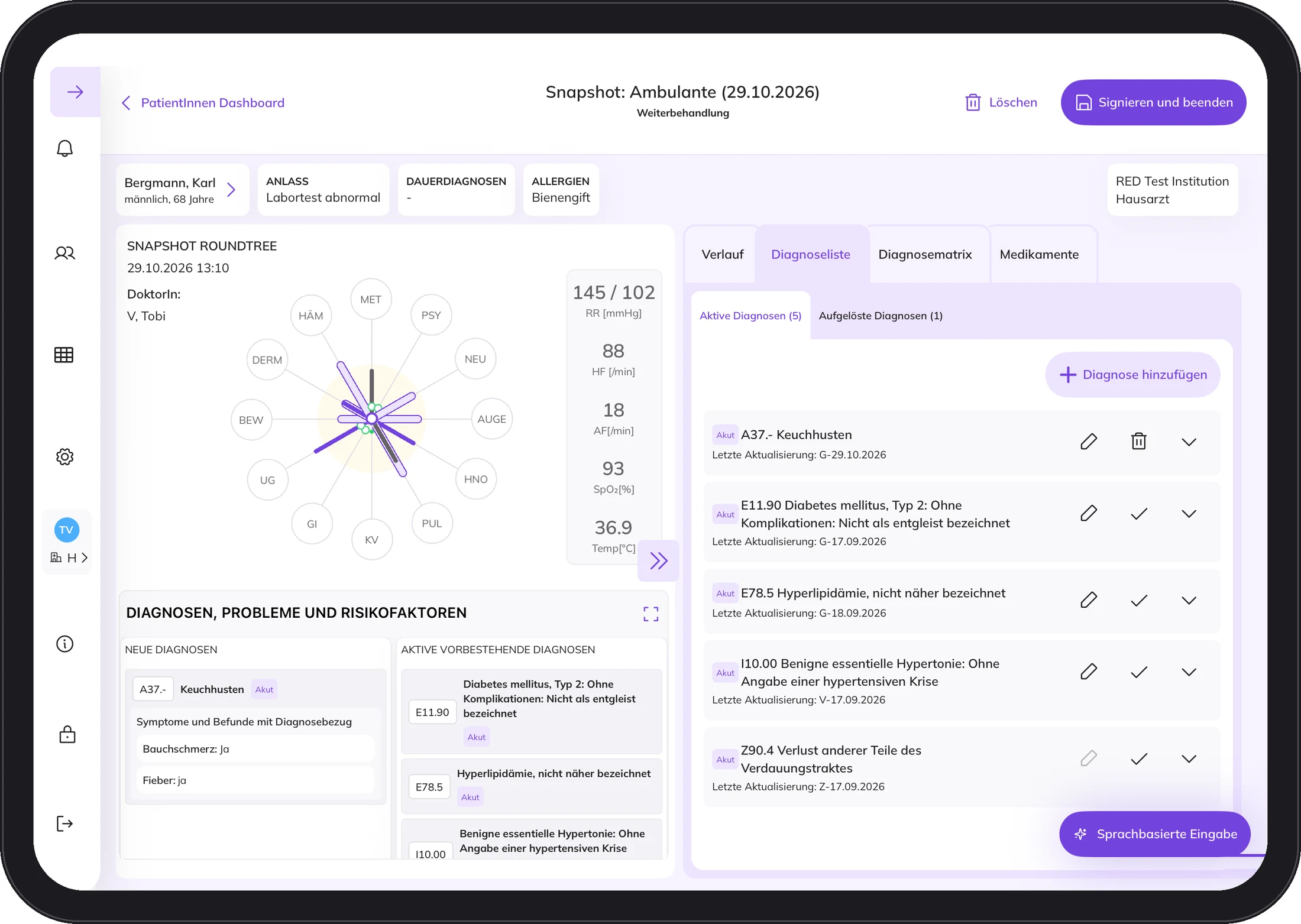
It starts with the reason for the visit. Someone who comes with chest pain gets different fields from someone coming for a check-up.
Round Tree
The Round Tree shows the patient's condition across twelve body systems. Even if the patient only comes for one thing.
Timeline
Separated into outpatient, emergency and inpatient. If emergencies or hospital stays pile up, you see it immediately.
Your PMS
The master data comes from your PMS. After you sign, the doctor's letter goes back automatically.
You do not have to ask them what they already told you last time. You look at the iPad once and then at them.
The decision stays with you.
How often a day do you copy something that is already written down somewhere? Vital signs from a slip of paper, findings called out across the room, letters in the evening.
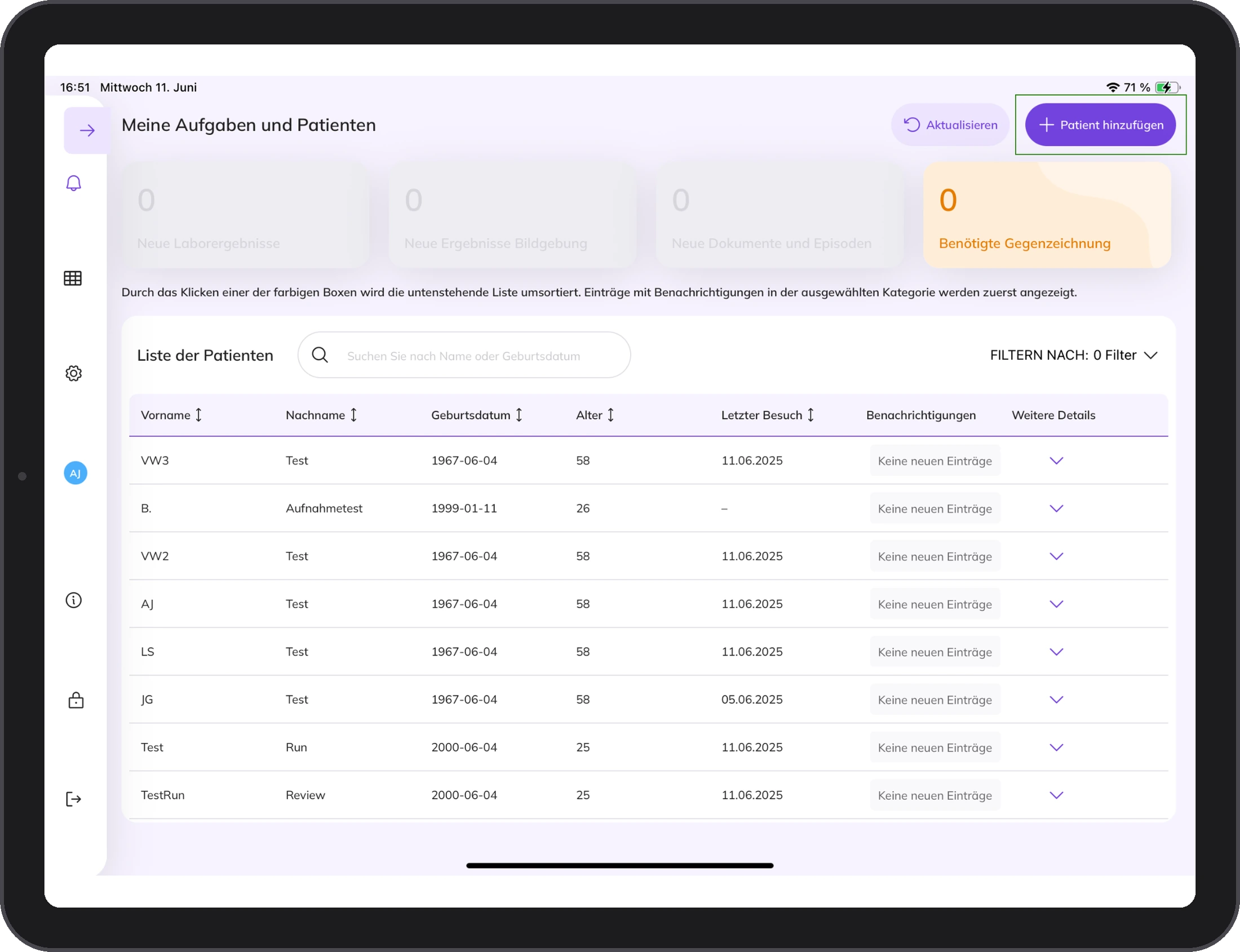
You register new patients using their health insurance number. DocPad takes the name, date of birth, place of birth and address from the PMS. The patient signs the consent with a finger on the iPad.
As soon as an entry is signed, everyone in the team caring for the patient can see it. No slip of paper that gets lost, no calling out down the corridor.
The doctor closes the episode and signs. The doctor's letter then goes to the PMS automatically. Internal notes stay in DocPad and do not end up in the letter.
What it takes
Five things and you are ready to go. Tap a symbol.
1 / 5
11 inch, 5th generation, M2 or M3. DocPad is developed, tested and validated for these.
2 / 5
In the treatment rooms, with internet access. DocPad does not run without internet, and we would rather say so up front.
3 / 5
A local administrator sets up the connection once. After that, both systems work together.
4 / 5
All users are trained before first use, so everyone knows how episodes and snapshots work.
5 / 5
The DocPad interface is in German. Instructions for use and training videos are on docpad.cloud.
Seven steps from the first conversation to regular operation. You can see the first days on site in more detail below.
The first days on site
Day 1 Kick-off
YouYour team takes part and asks questions.
UsIntroductions, DocPad live, setup of the iPads, lunch together.
Day 2 Training
YouYour team gets to know DocPad.
UsTraining for everyone, more in-depth for the Key User.
Day 3 Training or practice
YouFirst patients with DocPad.
UsSecond training day if needed. Otherwise at your side.
Day 4 Accompanied
YouWorking with DocPad.
UsAt your side for as long as your team wants.
We are with you for up to three days after the kick-off. You and your team decide how long.
No. DocPad is not a practice management system and does not want to be one. Billing, appointments and archive continue as usual.
Not at the moment. The patient must be registered in the PMS and covered by statutory health insurance.
DocPad does not run without internet, and we would rather say so beforehand than afterwards. So keep a spare iPad and a contingency plan ready.
Before first use, there is training for the whole team, with quick guides and a cheat sheet for the desk. A local administrator in your practice handles the setup, and the connection to your PMS is made once.
An iPad Air (5th generation, M2 or M3) and a stable Wi-Fi connection with internet access. The interface is in German.
Write us a short note about who you are and what interests you. We will send you information about DocPad. If it fits your practice, we will talk in person.