Move your mouse over the screen.
A picture instead of a wall of text.
You capture what you would record anyway, only in structured form. Same work in the consulting room, different result in the record.
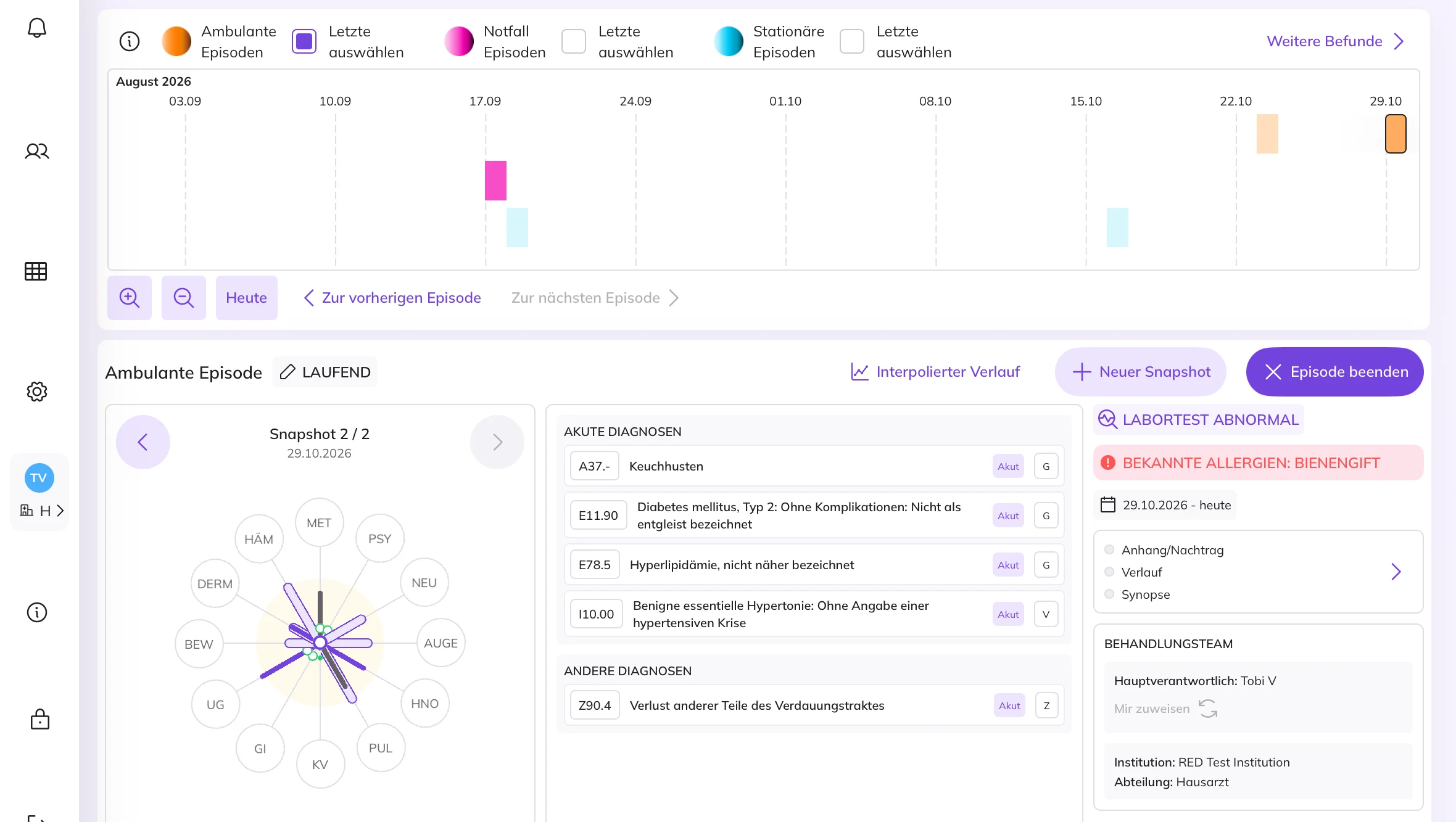
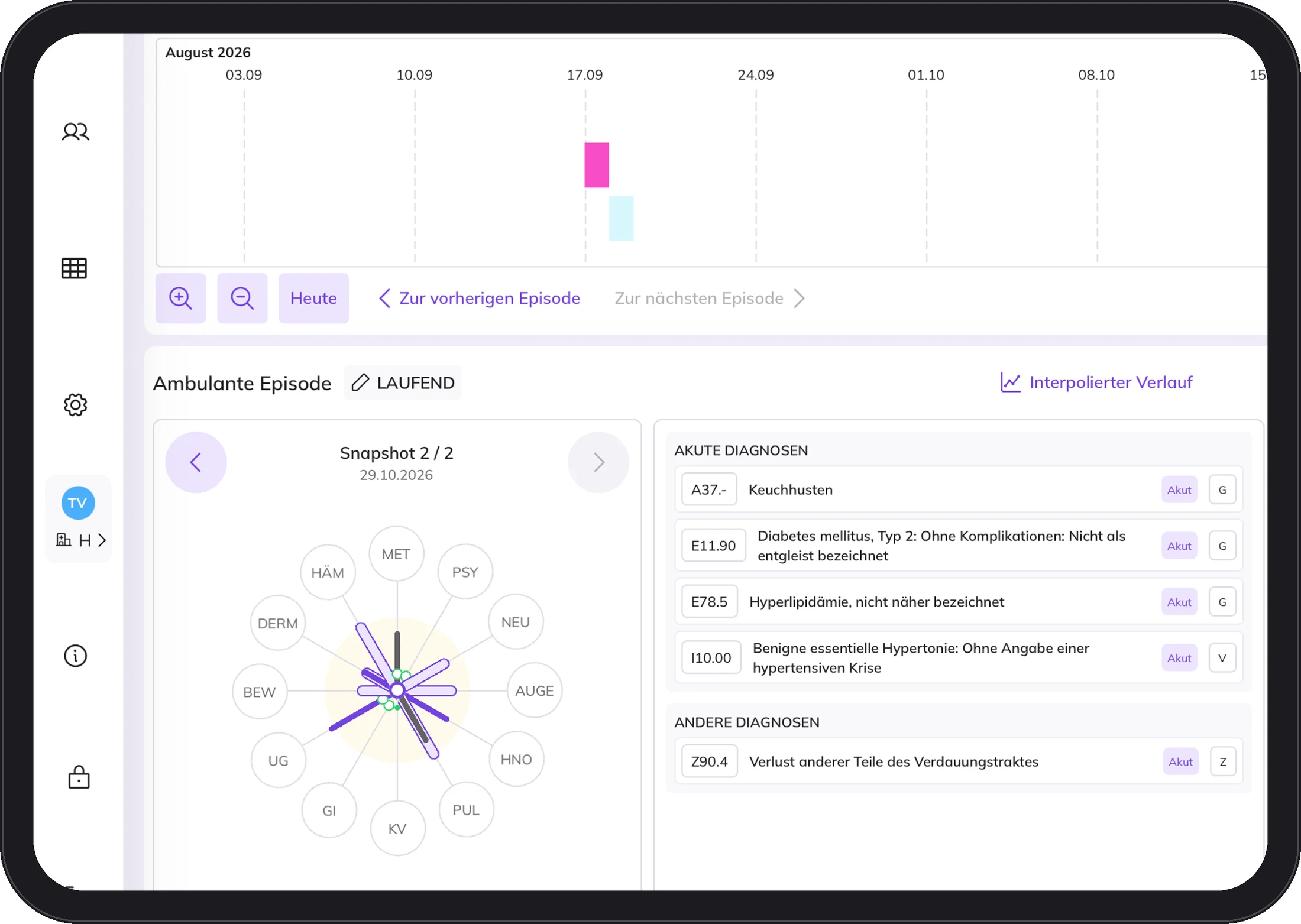
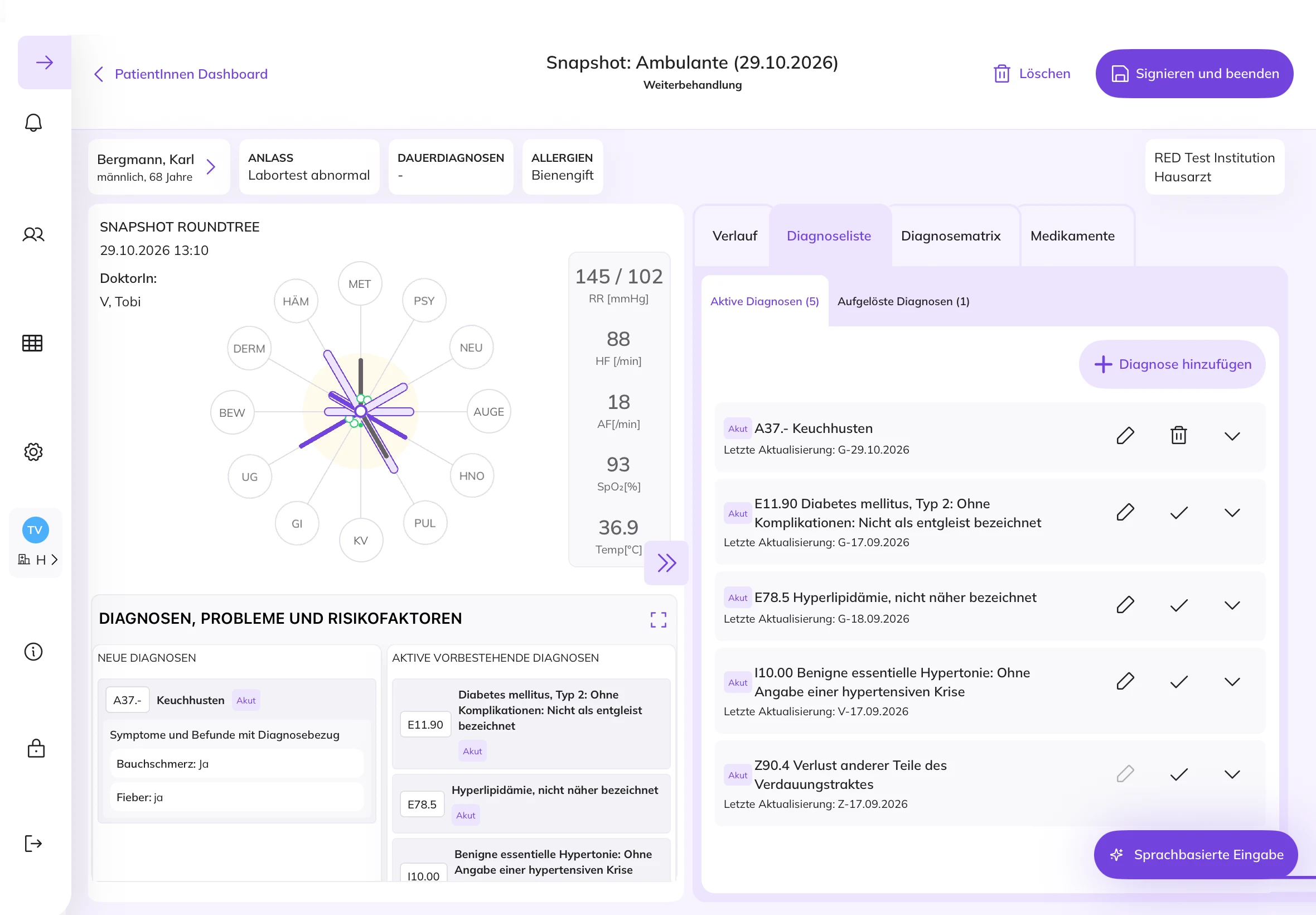
Twelve body systems at a glance.
The Round Tree shows the patient's condition across twelve body systems, from cardiovascular to skin. The further an arm extends, the more the system is affected.
Secondary findings stay in the picture, even if the patient only comes in for one thing.
You see the whole person, not just the organ they came in for today.
Many observations. One episode.
DocPad organises capture into episodes. An episode can contain several Snapshots. Each Snapshot is a single observation, for example one contact with the patient.
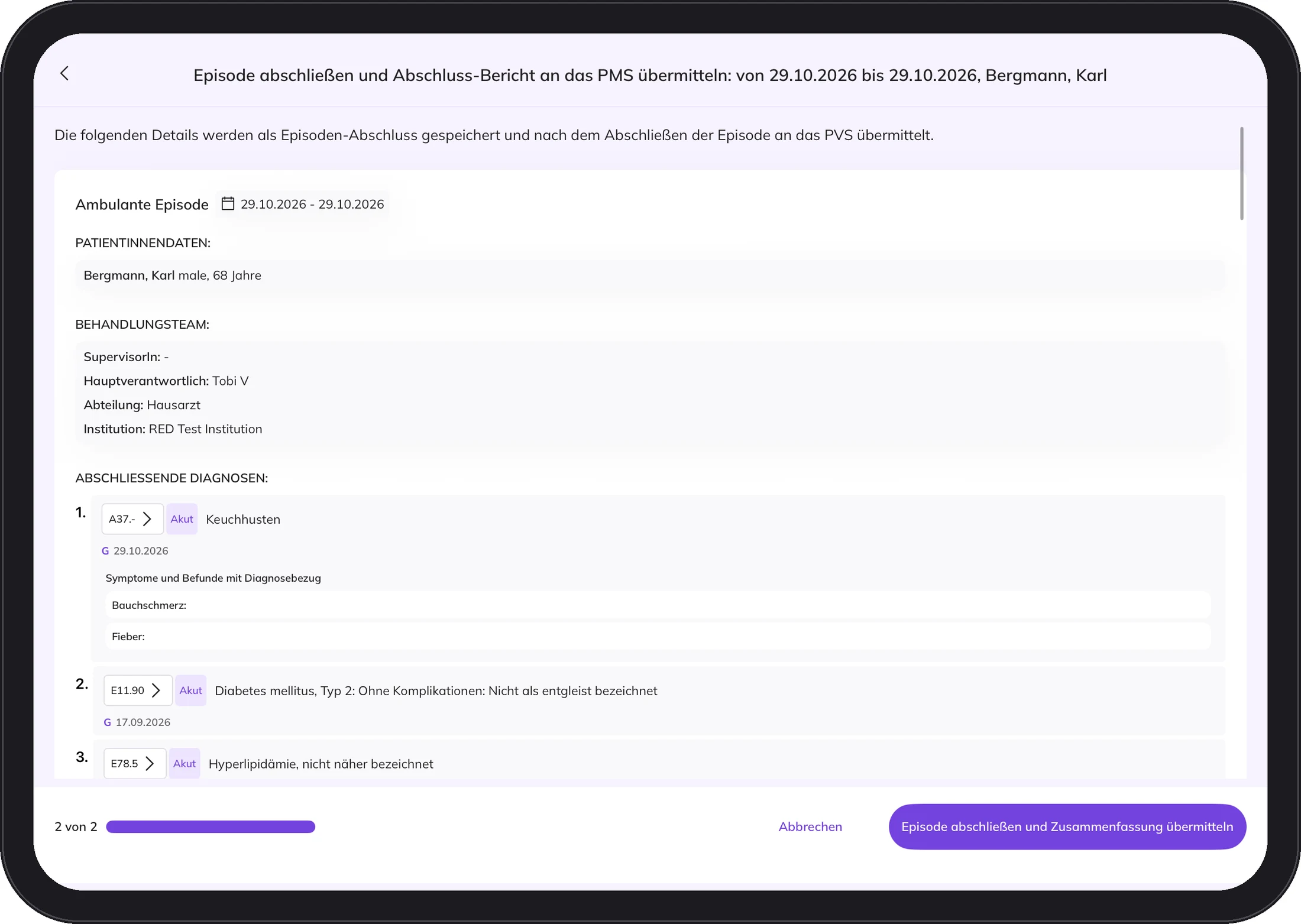
Every capture step is signed. It is clear who recorded what and when.
Every conversation becomes a record that lasts.
The desk in the consulting room.
DocPad is intended for use with an interface to your practice management system. It only accesses patients who exist in your practice's PMS.
Billing, appointments and archive continue as usual.
DocPad is the desk, your PMS remains the filing cabinet.
Screenshots from the DocPad app with demo data.
DocPad in detailCapture once. Sign once. Done.
- 1
Admit the patient
DocPad retrieves the master data from the PMS. The patient signs the consent with a finger on the iPad.
- 2
Choose the reason for visit
The reason for the visit pre-filters the fields. You only see what fits the case.
- 3
Capture and see
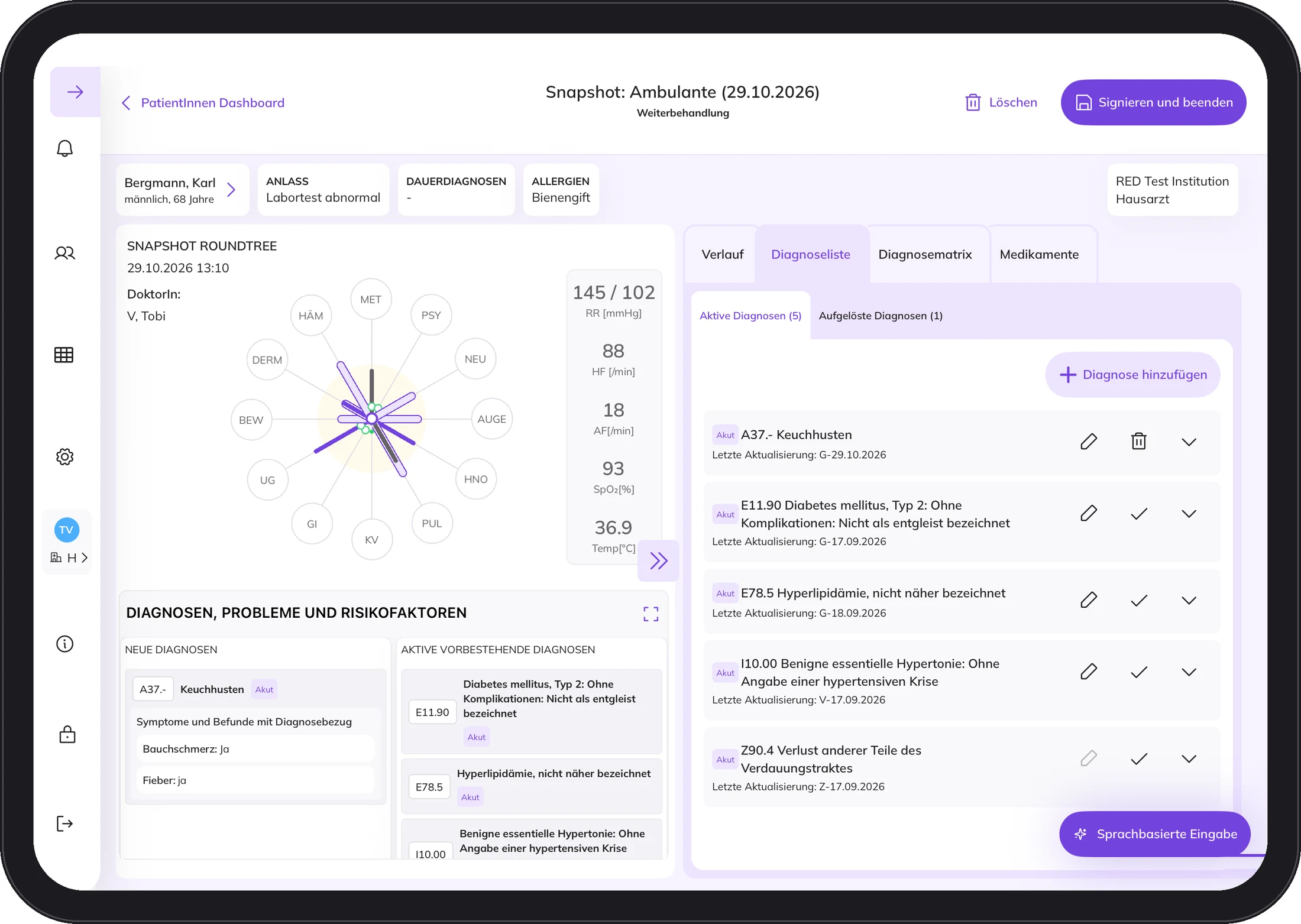
You capture findings as values. The Round Tree and the timeline show what that means for the whole person.
- 4
Sign
You sign and complete the episode. Once it is signed, the team sees it immediately.
Data, not documents.
DocPad does not put documents at the centre, but structured patient data. On the left, a doctor's letter as it is written today. On the right, a patient in DocPad, recorded as structured data. Drag the slider.
 With DocPad
Doctor's letters, findings and other documents are created from the data, depending on what they are needed for. Not the other way round.
Example with demo data.
Who it is for
One tool. Three good reasons.
See the whole person.
Not just the organ the patient is here for today. The decision stays with you.
More for practicesPaper and pen are history.
Once something is recorded, nobody has to type it up again.
More for medical assistantsThe course over time, not a snapshot.
The history of a patient becomes visible over time, outpatient, emergency and inpatient.
Discuss a pilotSimplified illustration with demo values from the sample letter above.
Built like a medical device. Because it is one.
DocPad is software as a medical device under the European Medical Device Regulation. You can find the instructions for use and training videos at docpad.cloud.
What practices ask us first.
What about patient consent?
The patient signs their consent with a finger on the iPad. We are happy to explain in person what it covers in detail.
Does DocPad replace our practice management system?
No. DocPad is intended for use with an interface to your practice management system. Billing, appointments and archive continue as usual. DocPad is the desk in the consulting room, the PMS remains the filing cabinet.
Does DocPad make diagnoses?
No. DocPad does not create diagnoses automatically. It accompanies the diagnostic process. Symptoms and findings are captured in structured form and assigned to the twelve body systems, so connections across the entire history become visible. The diagnosis is and remains the doctor's decision.
Where is our data stored?
DocPad is hosted in the STACKIT cloud in Germany. All connections are encrypted via TLS, and the data is also encrypted at rest. Each facility's data is kept separate from that of other facilities.
Your contact for practices and MVZs
Get to know DocPad.
Write us a short note about who you are and what interests you. We will send you information about DocPad. If it fits your practice, we will talk in person.