Not just the organ he is here for today.
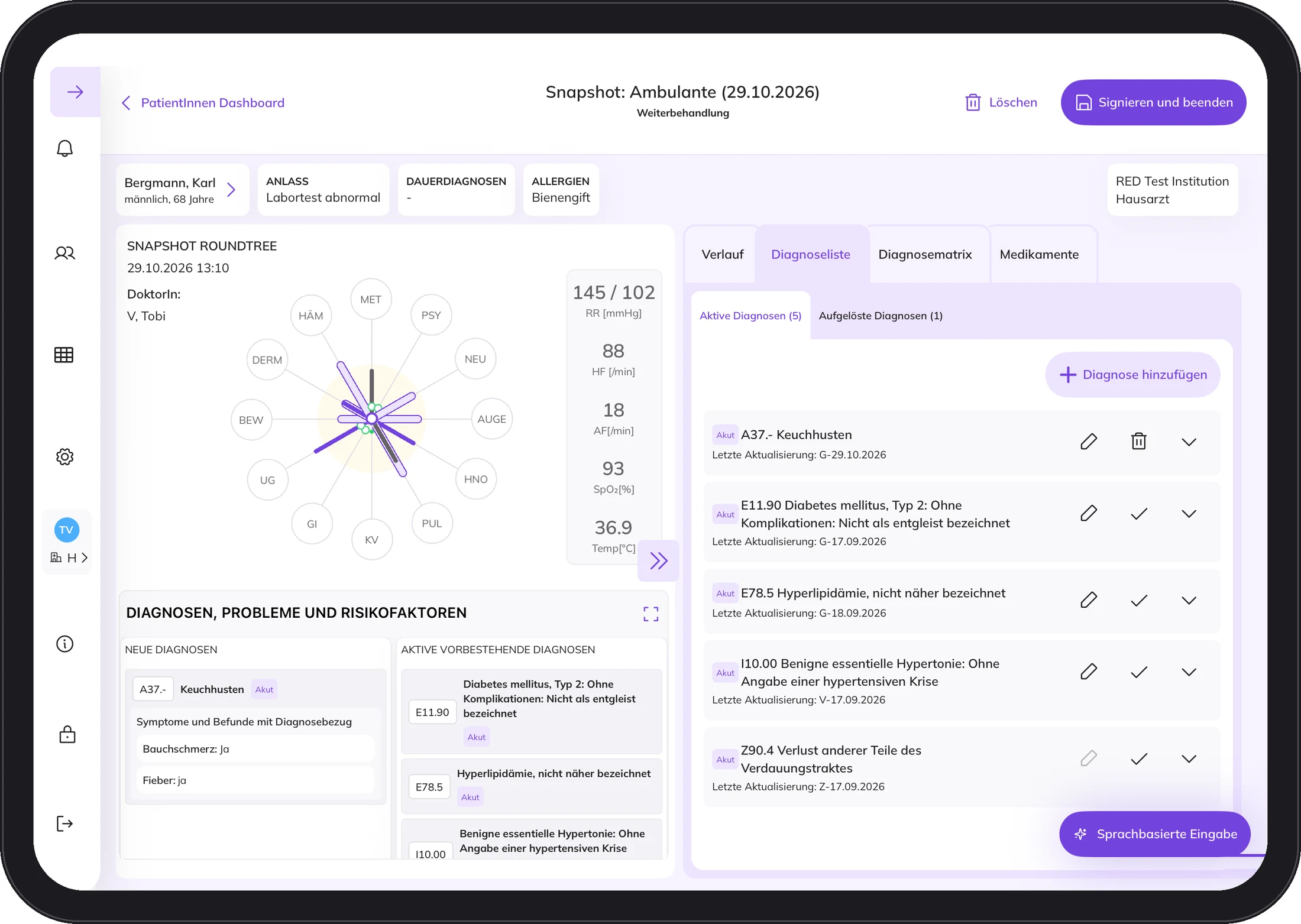
The Round Tree shows the patient's condition across twelve body systems. The further an arm extends, the more the system is under strain.
This way you see the whole person. Secondary findings do not get lost.
The reason for the visit pre-filters the input fields, so you only see what fits the case. The Round Tree shows the patient's condition across twelve body systems.
Five short questions. Your answers stay in your browser.
That looks good. As the next step, we will check the connection to your PMS together and show you DocPad using a sample case.
Reason for the visit
DocPad is designed to ask for as few parameters as necessary while still capturing the clinical picture as completely as possible.
Values
You capture findings as values, coded in the international medical terminologies such as SNOMED CT and ICD-10.
Completion
After you sign, the final report with the diagnoses according to ICD-10 goes back to your PMS automatically.
The Round Tree shows the patient's condition across twelve body systems. The further an arm extends, the more the system is under strain.
This way you see the whole person. Secondary findings do not get lost.
What it takes
Five things and you are ready to go. Tap a symbol.
1 / 5
11 inch, 5th generation, M2 or M3. DocPad is developed, tested and validated for these.
2 / 5
In the treatment rooms, with internet access. DocPad does not run without internet, and we would rather say so up front.
3 / 5
A local administrator sets up the connection once. After that, both systems work together.
4 / 5
All users are trained before first use, so everyone knows how episodes and snapshots work.
5 / 5
The DocPad interface is in German. Instructions for use and training videos are on docpad.cloud.
Seven steps from the first conversation to regular operation. You can see the first days on site in more detail below.
The first days on site
Day 1 Kick-off
YouYour team takes part and asks questions.
UsIntroductions, DocPad live, setup of the iPads, lunch together.
Day 2 Training
YouYour team gets to know DocPad.
UsTraining for everyone, more in-depth for the Key User.
Day 3 Training or practice
YouFirst patients with DocPad.
UsSecond training day if needed. Otherwise at your side.
Day 4 Accompanied
YouWorking with DocPad.
UsAt your side for as long as your team wants.
We are with you for up to three days after the kick-off. You and your team decide how long.
The timeline shows the entire documented history, separated into outpatient, emergency and inpatient. If emergencies pile up or hospital stays become more frequent, you see it in seconds instead of piecing it together from discharge letters.
A timeline shows how the strain on the body systems changes. Every documentation step is signed. It is clear who recorded what and when.
No. DocPad is not a practice management system and does not want to be one. Billing, appointments and archive continue as usual.
No. DocPad does not automatically create diagnoses. It accompanies the diagnostic process. The diagnosis is and remains the doctor's decision.
Not at the moment. The patient must be registered in the PMS and covered by statutory health insurance.
An iPad Air (5th generation, M2 or M3) and a stable Wi-Fi connection with internet access. The interface is in German.
Write us a short note about who you are and what interests you. We will send you information about DocPad. If it fits your practice, we will talk in person.